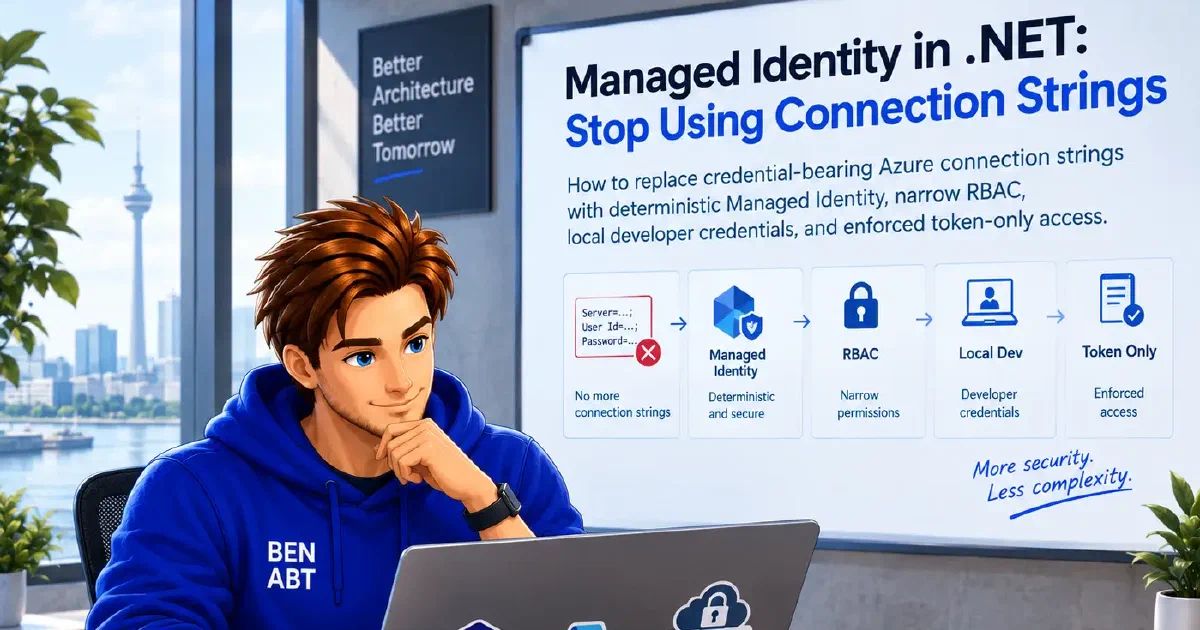
A credential-bearing connection string makes the first Azure request easy and every later security task harder. The same account key or password appears in deployment settings, developer machines, test environments, CI variables, support exports and occasionally logs. Rotation then becomes a coordinated application change.
Managed Identity removes the durable credential from the application. Configuration still contains resource addresses, database names and identity selectors, but Azure issues short-lived Microsoft Entra tokens to the deployed workload.
The constructor change is small. The real migration is a new trust boundary:
- One identity represents one workload and environment.
- Data-plane roles grant only the operations that workload needs.
- Production selects that identity deterministically.
- Developers use a separate bounded credential chain.
- Credentials and Azure SDK clients are reused.
- The old key is revoked and weaker authentication is disabled.
Without the last step, Managed Identity is only an additional path. The leaked connection string would still work.
Remove credentials, not configuration
A traditional Azure connection string combines two different things:
| Value | Example | Secret? |
|---|---|---|
| Destination | Service URI, namespace, server, database | No |
| Credential | Account key, SAS, password | Yes |
A Blob client still needs its service URI. Service Bus still needs a namespace. Azure SQL still needs a server and database. The goal is to remove reusable authentication material, not useful routing metadata.
Azure SQL is the clearest wording exception: a connection string remains a reasonable configuration format when it contains no password and selects a Microsoft Entra authentication mode.
Authentication is not authorization
Attaching an identity tells Azure which workload is calling. It grants no data access by itself.
That separation explains most failed deployments:
- the identity exists but has no role;
- a management-plane role was mistaken for data access;
- the role is assigned at the wrong scope;
- a read role is used for a write;
- the service has its own data-plane permission model; or
- the assignment has not propagated yet.
For Storage, Contributor does not directly grant blob access through Microsoft Entra authorization. It can, however, retrieve account keys and thereby enable data access while Shared Key is allowed. Storage Blob Data Reader and Storage Blob Data Contributor grant data-plane permissions directly.
The narrowest suitable role should be assigned at the narrowest practical resource scope. Subscription-wide Contributor is neither least privilege nor a useful diagnostic step.
System-assigned or user-assigned
| Identity | Recommended when | Main risk |
|---|---|---|
| System-assigned | One host has one isolated permission set | Recreating the host creates a new principal |
| User-assigned | Compute is replaced often or roles must exist first | Sharing can expand the blast radius |
The recommended default is one identity per workload and environment. It is not one identity for the whole platform and it is not automatically one identity per replica.
A system-assigned identity follows the host lifecycle and works well for one App Service or Function App with unique access. A user-assigned identity provides a stable principal for blue-green replacement, multiple hosts representing the same workload or preauthorization before compute exists.
A user-assigned identity should be shared only when the attached resources have the same owner and permission set. Every host capable of using that identity inherits its effective permissions and appears as the same principal in target-service logs.
Production credentials should be deterministic
Azure SDK clients accept Azure.Core.TokenCredential. The minimal system-assigned setup is:
 1using Azure.Core;
 2using Azure.Identity;
 3using Azure.Storage.Blobs;
 4
 5Uri serviceUri = new Uri(
 6    "https://contosoreports.blob.core.windows.net");
 7
 8TokenCredential credential = new ManagedIdentityCredential(
 9    ManagedIdentityId.SystemAssigned);
10
11BlobServiceClient blobServiceClient = new BlobServiceClient(
12    serviceUri,
13    credential);
DefaultAzureCredential is convenient locally because it can try environment, workload, managed identity, Visual Studio, Azure CLI, Azure Developer CLI and other sources. That flexibility is precisely why a broad default chain is unsuitable for production.
An earlier credential, such as a configured environment service principal, can succeed before Managed Identity is tried. An unavailable credential can also be skipped. This differs from failed token acquisition: a deployed-service credential that can attempt authentication but fails stops DefaultAzureCredential; it does not silently fall through to a developer login. The Azure Identity continuation policy
describes that distinction. Production code should state the expected identity:
1string managedIdentityClientId = configuration[
2    "AzureServices:ManagedIdentityClientId"]
3    ?? throw new InvalidOperationException(
4        "The managed identity client ID is missing.");
5
6TokenCredential credential = new ManagedIdentityCredential(
7    ManagedIdentityId.FromUserAssignedClientId(
8        managedIdentityClientId));
The client ID selects an identity; it does not authenticate it and is not a secret.
Identity identifiers are not interchangeable:
- Client ID selects the identity in many runtime APIs.
- Principal/object ID receives role assignments.
- Resource ID identifies the Azure managed identity resource.
- Tenant ID identifies the owning Microsoft Entra tenant.
One registration for local and Azure hosting
Resource addresses and an optional user-assigned client ID belong in non-secret configuration:
1{
2  "AzureServices": {
3    "BlobServiceUri": "https://contosoreports.blob.core.windows.net",
4    "KeyVaultUri": "https://contoso-platform.vault.azure.net",
5    "ServiceBusNamespace": "contoso-messaging.servicebus.windows.net",
6    "ManagedIdentityClientId": "00000000-0000-0000-0000-000000000000"
7  }
8}
The registration makes local and deployed credential policy explicit:
  1using Azure.Core;
  2using Azure.Identity;
  3using Microsoft.Extensions.Azure;
  4
  5public sealed class AzureServicesOptions
  6{
  7    public const string SectionName = "AzureServices";
  8
  9    public required Uri BlobServiceUri { get; init; }
 10
 11    public required Uri KeyVaultUri { get; init; }
 12
 13    public required string ServiceBusNamespace { get; init; }
 14
 15    public string? ManagedIdentityClientId { get; init; }
 16}
 17
 18public static class AzureServiceRegistration
 19{
 20    public static IServiceCollection AddAzureServiceClients(
 21        this IServiceCollection services,
 22        IConfiguration configuration,
 23        IHostEnvironment hostEnvironment)
 24    {
 25        IConfigurationSection section = configuration.GetRequiredSection(
 26            AzureServicesOptions.SectionName);
 27
 28        AzureServicesOptions options =
 29            section.Get<AzureServicesOptions>()
 30            ?? throw new InvalidOperationException(
 31                "Azure service configuration is missing.");
 32
 33        Validate(options);
 34
 35        TokenCredential credential = CreateCredential(
 36            hostEnvironment,
 37            options.ManagedIdentityClientId);
 38
 39        services.AddSingleton(credential);
 40
 41        services.AddAzureClients(
 42            (AzureClientFactoryBuilder clientBuilder) =>
 43            {
 44                clientBuilder.UseCredential(credential);
 45                clientBuilder.AddBlobServiceClient(
 46                    options.BlobServiceUri);
 47                clientBuilder.AddSecretClient(
 48                    options.KeyVaultUri);
 49                clientBuilder.AddServiceBusClientWithNamespace(
 50                    options.ServiceBusNamespace);
 51            });
 52
 53        return services;
 54    }
 55
 56    private static TokenCredential CreateCredential(
 57        IHostEnvironment hostEnvironment,
 58        string? managedIdentityClientId)
 59    {
 60        if (hostEnvironment.IsDevelopment())
 61        {
 62            return new ChainedTokenCredential(
 63                new VisualStudioCredential(),
 64                new AzureCliCredential(),
 65                new AzureDeveloperCliCredential());
 66        }
 67
 68        if (string.IsNullOrWhiteSpace(managedIdentityClientId))
 69        {
 70            return new ManagedIdentityCredential(
 71                ManagedIdentityId.SystemAssigned);
 72        }
 73
 74        return new ManagedIdentityCredential(
 75            ManagedIdentityId.FromUserAssignedClientId(
 76                managedIdentityClientId));
 77    }
 78
 79    private static void Validate(AzureServicesOptions options)
 80    {
 81        if (options.BlobServiceUri is null ||
 82            !options.BlobServiceUri.IsAbsoluteUri ||
 83            options.BlobServiceUri.Scheme != Uri.UriSchemeHttps)
 84        {
 85            throw new InvalidOperationException(
 86                "AzureServices:BlobServiceUri must be an absolute HTTPS URI.");
 87        }
 88
 89        if (options.KeyVaultUri is null ||
 90            !options.KeyVaultUri.IsAbsoluteUri ||
 91            options.KeyVaultUri.Scheme != Uri.UriSchemeHttps)
 92        {
 93            throw new InvalidOperationException(
 94                "AzureServices:KeyVaultUri must be an absolute HTTPS URI.");
 95        }
 96
 97        if (string.IsNullOrWhiteSpace(options.ServiceBusNamespace))
 98        {
 99            throw new InvalidOperationException(
100                "AzureServices:ServiceBusNamespace is required.");
101        }
102    }
103}
Any environment other than Development uses Managed Identity here. Test hosts named IntegrationTest need an intentional credential policy instead of accidentally following the production branch.
The developer chain contains developer credentials only. ChainedTokenCredential skips credentials reporting CredentialUnavailableException; another authentication failure can stop the chain. It does not inherit every continuation rule of DefaultAzureCredential. Production credentials never silently enter the local chain and development identities receive access only to development resources.
Reuse the credential and SDK clients
Azure Identity credentials such as ManagedIdentityCredential cache tokens. Reusing them avoids fragmenting those caches. HTTP-based Azure SDK clients normally share an underlying HTTP transport and pool, while Service Bus clients manage AMQP connections. Reusing clients avoids repeated pipeline setup and, for AMQP, connection and link churn.
One credential and long-lived clients should be registered through Microsoft.Extensions.Azure. Application services inject those clients or a narrower application abstraction. For the latter boundary, see Azure SDK Clients and Dependency Injection in .NET.
 1using Azure.Storage.Blobs;
 2
 3public sealed class ReportArchive
 4{
 5    private readonly BlobContainerClient _containerClient;
 6
 7    public ReportArchive(BlobServiceClient blobServiceClient)
 8    {
 9        _containerClient = blobServiceClient
10            .GetBlobContainerClient("reports");
11    }
12
13    public async Task<Uri> StoreAsync(
14        string blobName,
15        Stream content,
16        CancellationToken cancellationToken)
17    {
18        BlobClient blobClient =
19            _containerClient.GetBlobClient(blobName);
20
21        await blobClient.UploadAsync(
22            content,
23            overwrite: true,
24            cancellationToken);
25
26        return blobClient.Uri;
27    }
28}
The container is provisioned by infrastructure. Creating it on the request path would require broader permissions and turn application startup order into data-plane mutation.
Role assignments belong in infrastructure
For a system-assigned App Service identity:
1az webapp identity assign \
2  --resource-group <application-resource-group> \
3  --name <web-app-name> \
4  --query principalId \
5  --output tsv
The returned principal receives the required data-plane role:
1az role assignment create \
2  --assignee-object-id <managed-identity-principal-id> \
3  --assignee-principal-type ServicePrincipal \
4  --role "Storage Blob Data Contributor" \
5  --scope <storage-account-resource-id>
--assignee-object-id avoids an extra directory lookup. ServicePrincipal also helps Resource Manager handle a newly created principal while directory replication converges.
Representative roles include Storage Blob Data Reader, Storage Blob Data Contributor, Key Vault Secrets User, Azure Service Bus Data Sender and Azure Service Bus Data Receiver. The operation and service documentation determine the actual role.
For a user-assigned identity, creating and authorizing the identity before attaching it to compute removes role propagation from the critical host-deployment path.
Local success does not validate production identity
Managed Identity is intentionally unavailable on a normal workstation. Visual Studio, Azure CLI or Azure Developer CLI authenticate the developer as a different principal.
A successful local request proves that token-based client code works. It does not prove that the deployed identity is attached, selected, authorized or able to reach the private endpoint.
Three separate test modes cover the identity boundary:
| Environment | Credential | What it proves |
|---|---|---|
| Emulator | Synthetic local key | Protocol and application data behavior |
| Local Azure integration | Developer identity | Token path and development RBAC |
| Azure test deployment | Managed Identity | Host attachment, RBAC, DNS, network and service operation |
Only the deployed test validates the production trust path.
Key Vault is not an account-key relay
Putting a Storage key in Key Vault improves storage and auditing of that key, but the application still retrieves a durable credential with broad independent authority.
When the target supports Microsoft Entra authentication, the application should call it directly:
application --managed identity--> Azure servicenot:
application --managed identity--> Key Vault --account key--> Azure serviceKey Vault remains correct for third-party API keys, legacy passwords and certificates that cannot yet be replaced. Managed Identity authenticates the workload to Key Vault; Key Vault stores only values that genuinely remain secrets.
Azure SQL can remain a non-secret connection string
Azure SQL still needs server, database, encryption and authentication settings:
1{
2  "ConnectionStrings": {
3    "OrdersDatabase": "Server=tcp:orders-sql.database.windows.net,1433;Database=orders;Encrypt=True;TrustServerCertificate=False;Authentication=Active Directory Managed Identity"
4  }
5}
This string identifies the destination and authentication mode; it contains no password.
The database must have a Microsoft Entra administrator and a contained user for the managed identity with narrow database permissions. Starting with Microsoft.Data.SqlClient 7.0, built-in Azure authentication modes require the separate Microsoft.Data.SqlClient.Extensions.Azure package unless the application supplies tokens itself.
AKS usually means workload identity
On AKS, Microsoft Entra Workload ID federates a Kubernetes service account with a user-assigned managed identity. WorkloadIdentityCredential exchanges the projected service-account token for an Azure access token without mounting a client secret.
Deterministic production code should select it explicitly. The target-service RBAC, identity scope, reused clients and least-privilege rules remain the same.
Managed Identity fits Azure hosts such as App Service, Functions, Container Apps and virtual machines. Workload identity federation is the more precise model for Kubernetes and external platforms capable of presenting a trusted workload token.
Identity and networking fail independently
A valid token does not create a route through private endpoints, DNS, firewalls or virtual networks. Reaching a private endpoint does not authorize blob access.
Identity and network stages should be diagnosed separately. Expanding permissions cannot repair DNS. Adding a private endpoint cannot repair a missing data-plane role.
Diagnose the failure stage first
| Signal | Typical meaning |
|---|---|
CredentialUnavailableException | The selected credential cannot operate in this environment |
AuthenticationFailedException | Token acquisition was attempted and failed |
401 | The target did not accept the token |
403 | Identity lacks access or a service-specific firewall also uses this status |
| Timeout or name resolution failure | Network path or dependency issue |
For 403, checks should include the principal actually used, data-plane role, assignment scope, requested operation, service-specific permission model, network policy and propagation time.
Role changes can take minutes. Group-based managed identity membership may take longer because infrastructure caches tokens by resource URI. Deployment uses bounded retries for expected propagation and fails clearly afterward. Infinite startup retries hide misconfiguration.
Logging must never expose credentials
Microsoft.Extensions.Azure forwards Azure SDK diagnostics into ILogger. Temporary detailed logging can show credential selection, request IDs, retries and downstream status without exposing the token.
Useful signals include token acquisition failures and latency, downstream 401 and 403, retry counts, role-deployment failures and remaining Shared Key requests during migration.
Authorization headers, tokens, account keys, SAS values, secrets and complete credential-bearing connection strings never enter logs. Client and principal IDs are not secrets but remain infrastructure metadata and are logged only when diagnosis requires them.
Migration sequence
- Inventory keys and connection strings across source history, configuration, CI, local stores, runbooks, support exports and logs.
- Verify that the exact data-plane operation supports Microsoft Entra authentication.
- Choose one workload-and-environment identity boundary.
- Provision the narrow role before traffic depends on it.
- Add explicit production and local credential paths with reused clients.
- Test the actual deployed identity, network and operation.
- Observe remaining key or SAS traffic.
- Remove every old value and rotate or revoke it.
- Disable Shared Key or local authentication where supported.
For Azure Storage, enforcement can be explicit:
1az storage account update \
2  --resource-group <storage-resource-group> \
3  --name <storage-account-name> \
4  --allow-shared-key-access false
This also affects account and service SAS because they rely on Shared Key. User-delegation SAS remains compatible with Microsoft Entra authorization. Azure Files and dependent Azure services need compatibility review before enforcement.
Security boundaries that remain
Code executing inside the workload can request every token allowed to the attached identity. Least privilege, patching, sandboxing, network restrictions, deployment security and SSRF prevention remain necessary.
Permission to attach a powerful user-assigned identity is itself privileged. A compute administrator who can attach that identity can run code with its permissions.
Shared identities reduce attribution and expand compromise impact. Deleted identities can also leave orphaned role assignments. Identity and authorization lifecycle must be managed together.
Third-party and legacy systems may still require certificates or secrets. A deliberate fallback stored in Key Vault is acceptable; a silent fallback to an old account key is not.
Design rule
Managed Identity is not a safer place to store a connection string. It is a different trust model: Azure authenticates a workload and the target authorizes that identity for a narrow operation and scope.
A production implementation should be intentionally predictable. Resource addresses are normal configuration. The exact managed identity credential is explicit. Developer credentials are separate. One credential and long-lived SDK clients are reused. RBAC is infrastructure. The deployed path is tested. Old credentials are revoked and weaker authentication is disabled.
That is when the application has stopped using connection-string credentials rather than merely learning another way to connect.
Further reading
- Authenticate .NET applications with Azure services
- Authentication best practices for Azure Identity
- Credential chains in Azure Identity for .NET
- System-assigned Managed Identity for .NET
- User-assigned Managed Identity for .NET
- Managed Identity best-practice recommendations
- Azure SDK guidance for ASP.NET Core
- Azure RBAC troubleshooting
- Prevent Shared Key authorization for Azure Storage
- Microsoft Entra Workload ID on AKS
Related articles

- 16 min read
Production Rate Limiting in ASP.NET Core
Most ASP.NET Core rate-limiting examples stop after registering a fixed window. That is enough to demonstrate the middleware, but it is not …

- 12 min read
Custom Password Hashing in ASP.NET Core: A Versioned, Upgradeable Design
Applications that do not use ASP.NET Core Identity still need a disciplined password-storage design. This often leads to a requirement …
- 7 min read
Create a custom captcha provider with ASP.NET Core
Nowadays, you can’t actually run a website on the Internet without having a protection mechanism against content bots. One possibility …

BEN ABT
Ben is Chief Engineering Officer and Principal Software Engineer at Medialesson.de, with a strong focus on .NET and Microsoft Azure. In his professional role, he designs and builds highly scalable platforms for hybrid and cloud-based scenarios. He also advises companies and C-levels on migrating to the sovereign cloud.
He runs myCSharp.de, the largest and most active German-speaking C# community forum, actively contributes to both his own and external open-source projects and regularly shares his knowledge through his blog, at community events, conferences and as a writer for technical magazines.
Let's Work Together
Looking for an experienced Platform Architect or Engineer for your next project? Whether it's cloud migration, platform modernization or building new solutions from scratch - I'm here to help you succeed.