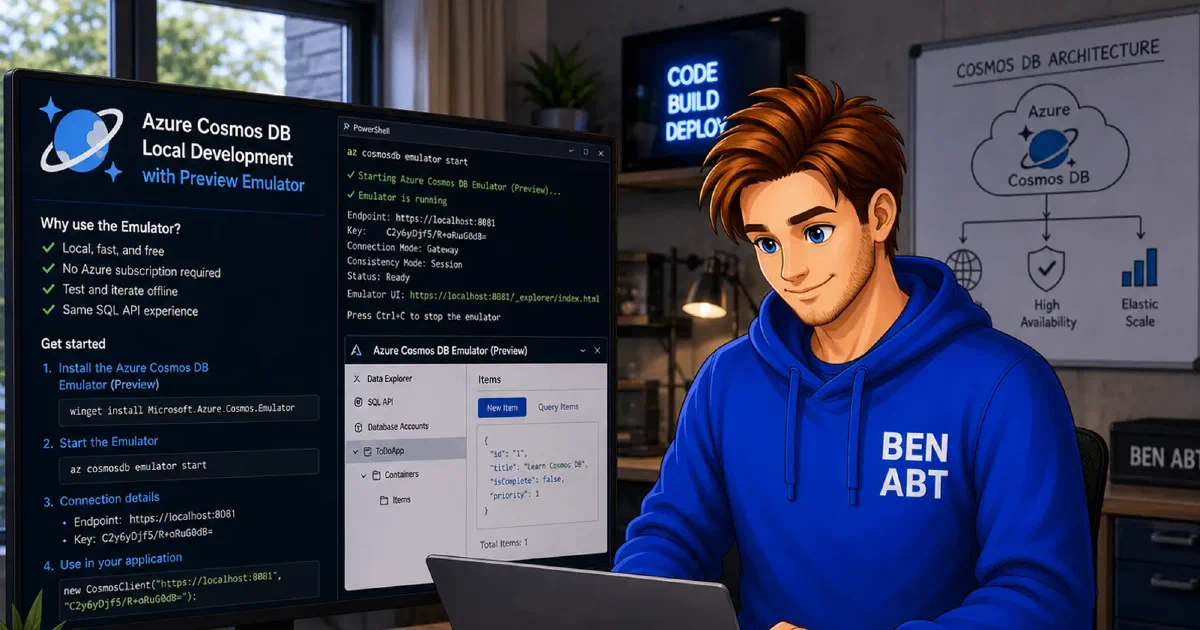
Distributed applications tend to feel straightforward until a real cloud dependency enters the picture. Azure Cosmos DB is a good example. In Azure, the preferred model is usually clear: the application should connect without secrets and authenticate through Managed Identity. Local development has different constraints. There is no managed identity attached to a machine in the same way, but the application still needs a reachable endpoint, credentials, startup ordering and a database that exists before the first request reaches repository code.
.NET Aspire helps because the AppHost can describe both environments in one place. The same application model can provision an actual Azure Cosmos DB account during publish and switch to a local emulator during development. That is already useful, but the bigger challenge begins after the resource definition. The runtime contract must remain clean in both modes. Local shortcuts should stay local and production security rules should not be weakened just to make development easier.
The setup in this post keeps that boundary explicit. Local execution uses Aspire’s preview Cosmos DB emulator and injects the emulator connection string into the API. Publish mode passes only the Cosmos DB endpoint so that the ASP.NET Core application can authenticate with DefaultAzureCredential. On top of that, local-only initialization can create missing databases or containers during startup, while production keeps those responsibilities in infrastructure.
The end result is not just “Cosmos DB running locally”. It is a development setup that stays convenient without teaching the application the wrong production habits.
The important split is the runtime contract
The local and cloud variants differ in more than infrastructure location. They differ in how the application is expected to authenticate and what assumptions are safe to make at startup.
In local development, the API talks to the emulator container that Aspire starts. That emulator exposes a connection string with an access key. Using that key locally is acceptable because it belongs to a synthetic development resource and never leaves the local execution path.
In publish mode, the shape should be different. The AppHost may still provision an Azure Cosmos DB account, but the API should not receive a production connection string. Passing only the endpoint is the cleaner contract. The application can then create CosmosClient with DefaultAzureCredential, which resolves to the workload identity in Azure.
That distinction becomes the actual security boundary. Local mode uses a secret because the emulator requires one. Production mode avoids secrets because Azure does not need them for this scenario. Once both models are forced through the same configuration path, the usual result is either unnecessary production secrets or a local development setup that is much harder to run than it needs to be.
Let the AppHost choose the mode
The AppHost is the right place to make this decision because it already knows whether the application is running locally or being prepared for publish. The following example keeps the Azure resource definition intact for publish mode and swaps it to the preview emulator only for local execution.
 1using Aspire.Hosting;
 2using Aspire.Hosting.ApplicationModel;
 3
 4IDistributedApplicationBuilder builder = DistributedApplication.CreateBuilder(args);
 5bool isPublish = builder.ExecutionContext.IsPublishMode;
 6
 7IResourceBuilder<AzureCosmosDBResource> cosmos;
 8
 9if (isPublish)
10{
11    cosmos = builder.AddAzureCosmosDB("cosmos");
12}
13else
14{
15#pragma warning disable ASPIRECOSMOSDB001
16    cosmos = builder
17        .AddAzureCosmosDB("cosmos")
18        .RunAsPreviewEmulator(emulator =>
19            emulator
20                .WithDataVolume("my-todo-emulator-data")
21                .WithDataExplorer()
22                .WithLifetime(ContainerLifetime.Persistent));
23#pragma warning restore ASPIRECOSMOSDB001
24}
25
26IResourceBuilder<AzureCosmosDBDatabaseResource> myDatabase =
27    cosmos.AddCosmosDatabase("myDatabase");
28
29IResourceBuilder<ProjectResource> api = builder
30    .AddProject<Projects.MyApp_Api>("apps-api-httpapi")
31    .WithExternalHttpEndpoints()
32    .WithHttpHealthCheck("/health")
33    .WithReference(myDatabase)
34    .WithEnvironment("CosmosDb__DatabaseName", myDatabase.Resource.DatabaseName)
35    .WithEnvironment("CosmosDb__ContainerName", "external-apis")
36    .WithEnvironment("CosmosDb__EnsureCreated", isPublish ? "false" : "true");
37
38if (isPublish)
39{
40    api.WithEnvironment("CosmosDb__Endpoint", cosmos.Resource.UriExpression);
41}
42else
43{
44    api.WithEnvironment("CosmosDb__ConnectionString", cosmos.Resource.ConnectionStringExpression)
45        .WaitFor(cosmos);
46}
Several decisions are hidden inside that small block.
RunAsPreviewEmulator(...) is limited to local execution on purpose. The emulator is a development-time convenience, not part of the publish model. Keeping the AddAzureCosmosDB("cosmos") definition on both paths means the resource graph still describes the production dependency accurately, while local execution gets a container that behaves closely enough to unblock normal development work.
The environment variables also differ by design. Local mode passes CosmosDb__ConnectionString because the emulator requires an access key. Publish mode passes CosmosDb__Endpoint and nothing else. That keeps the production contract narrow and avoids sliding back into distributing database keys just because the local path happens to need one.
WaitFor(cosmos) is easy to underestimate until the API starts initializing Cosmos resources on startup. The emulator container may be running while still not accepting requests. If the API comes up too early and tries to create a database or a container, startup can stall before app.Run() is reached. From the outside that often looks like a generic network problem, but the real issue is that the application started before its dependency was actually ready.
The persistent volume and the persistent container lifetime are equally practical. Local query experiments, serialization changes or repository work become easier when the emulator state survives a restart. WithDataExplorer() rounds that out by making inspection part of the normal inner loop rather than a separate step.
Keep the API agnostic
Once the AppHost decides which world is active, the API only needs a configuration object that can represent both modes cleanly.
 1using System.ComponentModel.DataAnnotations;
 2
 3public sealed class AzureCosmosDbContextOptions
 4{
 5    public const string SectionName = "CosmosDb";
 6
 7    [Required]
 8    public string ApplicationName { get; set; } = "MyApp.Api";
 9
10    public string? ConnectionString { get; set; }
11
12    public string? Endpoint { get; set; }
13
14    [Required]
15    public string DatabaseName { get; set; } = null!;
16
17    [Required]
18    public string ContainerName { get; set; } = null!;
19
20    public bool EnsureCreated { get; set; }
21}
The important detail is not the shape of the class itself. The important detail is that neither ConnectionString nor Endpoint is globally mandatory. Exactly one of them must be present for the current runtime mode. That turns the options object into the single decision point for client construction and keeps controllers, repositories and application services free from environment-specific branching.
Register the client from that contract
The service registration is where the application decides how to turn configuration into a CosmosClient. It is also where local-only startup behavior can be attached without leaking into production.
 1using Azure.Core;
 2using Azure.Identity;
 3using Microsoft.Azure.Cosmos;
 4using Microsoft.Extensions.Configuration;
 5using Microsoft.Extensions.DependencyInjection;
 6using Microsoft.Extensions.Options;
 7
 8public static class ServiceCollectionExtensions
 9{
10    public static IServiceCollection AddMyAppCosmosDb(
11        this IServiceCollection services,
12        IConfiguration configuration)
13    {
14        services
15            .AddOptions<AzureCosmosDbContextOptions>()
16            .Bind(configuration.GetSection(AzureCosmosDbContextOptions.SectionName))
17            .ValidateDataAnnotations()
18            .Validate(options => HasValidConnectionModel(options), "Either ConnectionString or Endpoint must be configured.")
19            .ValidateOnStart();
20
21        services.AddSingleton<CosmosClient>(serviceProvider =>
22        {
23            AzureCosmosDbContextOptions options =
24                serviceProvider.GetRequiredService<IOptions<AzureCosmosDbContextOptions>>().Value;
25
26            CosmosClientOptions clientOptions = CosmosClientFactory.CreateClientOptions(options);
27
28            if (!string.IsNullOrWhiteSpace(options.ConnectionString))
29            {
30                return new CosmosClient(options.ConnectionString, clientOptions);
31            }
32
33            TokenCredential credential = new DefaultAzureCredential();
34            return new CosmosClient(options.Endpoint, credential, clientOptions);
35        });
36
37        services.AddSingleton<ITodoRepository, TodoRepository>();
38
39        // When EnsureCreated is true the database and container are provisioned on startup before
40        // any request handler can reach the repository. This is only intended for local development
41        // against the Aspire emulator; production deployments leave EnsureCreated at its default false.
42        if (configuration.GetValue<bool>($"{AzureCosmosDbContextOptions.SectionName}:EnsureCreated"))
43        {
44            services.AddHostedService<CosmosDbInitializationService>();
45        }
46
47        return services;
48    }
49
50    private static bool HasValidConnectionModel(AzureCosmosDbContextOptions options)
51    {
52        bool hasConnectionString = !string.IsNullOrWhiteSpace(options.ConnectionString);
53        bool hasEndpoint = !string.IsNullOrWhiteSpace(options.Endpoint);
54
55        return hasConnectionString || hasEndpoint;
56    }
57}
This is where the security model becomes concrete. If a connection string is present, the application uses it directly and therefore runs against the emulator path. If only an endpoint is present, the application creates CosmosClient with DefaultAzureCredential, which is the production path.
The validation matters because misconfiguration is otherwise easy to miss. A missing endpoint in Azure or a missing connection string locally often does not fail in a useful place. Validating the options during startup keeps those failures close to the composition root instead of surfacing them later as repository errors.
The conditional EnsureCreated registration is also intentional. Database and container creation are convenient when a local environment is started repeatedly, but they usually do not belong in the steady-state behavior of a production API. Throughput, indexing, partitioning decisions and permission scopes are typically managed elsewhere.
Local provisioning should stay local
The hosted service behind EnsureCreated can stay small.
 1using Microsoft.Azure.Cosmos;
 2using Microsoft.Extensions.Hosting;
 3using Microsoft.Extensions.Options;
 4
 5public sealed class CosmosDbInitializationService : IHostedService
 6{
 7    private readonly CosmosClient _cosmosClient;
 8    private readonly AzureCosmosDbContextOptions _options;
 9
10    public CosmosDbInitializationService(
11        CosmosClient cosmosClient,
12        IOptions<AzureCosmosDbContextOptions> options)
13    {
14        _cosmosClient = cosmosClient;
15        _options = options.Value;
16    }
17
18    public async Task StartAsync(CancellationToken cancellationToken)
19    {
20        Database database = await _cosmosClient.CreateDatabaseIfNotExistsAsync(
21            _options.DatabaseName,
22            cancellationToken: cancellationToken);
23
24        ContainerProperties containerProperties = new ContainerProperties(
25            _options.ContainerName,
26            partitionKeyPath: "/partitionKey");
27
28        await database.CreateContainerIfNotExistsAsync(
29            containerProperties,
30            cancellationToken: cancellationToken);
31    }
32
33    public Task StopAsync(CancellationToken cancellationToken)
34    {
35        return Task.CompletedTask;
36    }
37}
This service runs before the application starts serving requests, which is exactly why startup ordering matters so much. If the emulator is not reachable yet, CreateDatabaseIfNotExistsAsync or CreateContainerIfNotExistsAsync becomes the place where startup hangs.
There is also a permission boundary hidden here. This code assumes the application is allowed to create resources. That assumption is reasonable in local development. In Azure it is often intentionally false. Many production workloads get permission to read and write documents, but not to create databases or containers. Keeping EnsureCreated local preserves that discipline instead of quietly normalizing elevated permissions.
The emulator needs different client settings
The preview emulator is close enough to Azure Cosmos DB to be useful, but it is not identical to the cloud service. That difference shows up in the Cosmos SDK configuration, which is why the client options should be created centrally rather than scattered across the codebase.
 1using Microsoft.Azure.Cosmos;
 2using System.Text.Json;
 3using System.Text.Json.Serialization;
 4
 5internal static class CosmosClientFactory
 6{
 7    internal static CosmosClientOptions CreateClientOptions(AzureCosmosDbContextOptions options)
 8    {
 9        bool isEmulator = IsLocalEmulator(options);
10        return new CosmosClientOptions
11        {
12            ApplicationName = options.ApplicationName,
13            // Aspire's preview emulator is exposed over the HTTPS gateway endpoint rather than Direct/TCP.
14            ConnectionMode = isEmulator ? ConnectionMode.Gateway : ConnectionMode.Direct,
15            LimitToEndpoint = isEmulator,
16
17            UseSystemTextJsonSerializerWithOptions = CreateJsonSerializerOptions(options),
18
19            MaxRetryAttemptsOnRateLimitedRequests = 9,
20            MaxRetryWaitTimeOnRateLimitedRequests = TimeSpan.FromSeconds(30),
21
22            // The Aspire preview emulator uses a self-signed TLS certificate that is not in the host
23            // trust store. Skipping certificate validation is acceptable for local development only;
24            // in production IsLocalEmulator returns false and the default factory is used instead.
25#pragma warning disable MA0039
26            HttpClientFactory = isEmulator
27                ? () => new HttpClient(new HttpClientHandler
28                {
29                    ServerCertificateCustomValidationCallback =
30                        HttpClientHandler.DangerousAcceptAnyServerCertificateValidator,
31                })
32                : null,
33#pragma warning restore MA0039
34        };
35    }
36
37    internal static bool IsLocalEmulator(AzureCosmosDbContextOptions options)
38    {
39        return !string.IsNullOrWhiteSpace(options.ConnectionString);
40    }
41
42    private static JsonSerializerOptions CreateJsonSerializerOptions(AzureCosmosDbContextOptions options)
43    {
44        JsonSerializerOptions serializerOptions = new JsonSerializerOptions(JsonSerializerDefaults.Web)
45        {
46            PropertyNamingPolicy = JsonNamingPolicy.CamelCase,
47            DefaultIgnoreCondition = JsonIgnoreCondition.WhenWritingNull,
48        };
49
50        return serializerOptions;
51    }
52}
Three settings deserve special attention.
ConnectionMode.Gateway is the safe local default because the preview emulator is exposed through its HTTPS gateway endpoint rather than behaving like the full cloud service surface. Using ConnectionMode.Direct locally can lead to long delays or connectivity failures because the SDK starts making assumptions that are valid in Azure but not against the emulator container.
LimitToEndpoint = true keeps the SDK focused on the single endpoint that Aspire exposes. Endpoint discovery is useful for the real service and unnecessary for the emulator path, where it can create more confusion than value.
The HttpClientFactory override is the most sensitive part. The preview emulator uses a self-signed certificate, so strict certificate validation can fail during local HTTPS calls. Bypassing certificate validation is acceptable only because that code path is explicitly gated behind the local emulator check. The moment this logic becomes reachable in production, the boundary between development convenience and production security is gone.
Everything above the composition root stays the same
Once the client is registered correctly, the rest of the application becomes pleasantly boring. The HTTP layer and the repository code do not need to know whether the backing store is the emulator or an Azure account.
 1using Microsoft.AspNetCore.Builder;
 2using Microsoft.AspNetCore.Http;
 3using Microsoft.Extensions.DependencyInjection;
 4
 5WebApplicationBuilder builder = WebApplication.CreateBuilder(args);
 6
 7builder.Services.AddHealthChecks();
 8builder.Services.AddMyAppCosmosDb(builder.Configuration);
 9
10WebApplication app = builder.Build();
11
12app.MapHealthChecks("/health");
13
14app.MapGet("/todo/{id}", async (
15    string id,
16    ITodoRepository repository,
17    CancellationToken cancellationToken) =>
18{
19    TodoDocument? document = await repository.GetAsync(id, cancellationToken);
20    return document is null ? Results.NotFound() : Results.Ok(document);
21});
22
23app.MapPost("/todo", async (
24    TodoDocument document,
25    ITodoRepository repository,
26    CancellationToken cancellationToken) =>
27{
28    await repository.UpsertAsync(document, cancellationToken);
29    return Results.Accepted($"/todo/{document.Id}", document);
30});
31
32app.Run();
A matching repository remains straightforward:
 1using Microsoft.Azure.Cosmos;
 2using Microsoft.Extensions.Options;
 3using System.Net;
 4
 5public interface ITodoRepository
 6{
 7    Task<TodoDocument?> GetAsync(string id, CancellationToken cancellationToken);
 8
 9    Task UpsertAsync(TodoDocument document, CancellationToken cancellationToken);
10}
11
12public sealed class TodoRepository : ITodoRepository
13{
14    private readonly Container _container;
15
16    public TodoRepository(
17        CosmosClient cosmosClient,
18        IOptions<AzureCosmosDbContextOptions> options)
19    {
20        AzureCosmosDbContextOptions contextOptions = options.Value;
21        _container = cosmosClient.GetContainer(
22            contextOptions.DatabaseName,
23            contextOptions.ContainerName);
24    }
25
26    public async Task<TodoDocument?> GetAsync(string id, CancellationToken cancellationToken)
27    {
28        try
29        {
30            ItemResponse<TodoDocument> response = await _container.ReadItemAsync<TodoDocument>(
31                id,
32                new PartitionKey(id),
33                cancellationToken: cancellationToken);
34
35            return response.Resource;
36        }
37        catch (CosmosException exception) when (exception.StatusCode == HttpStatusCode.NotFound)
38        {
39            return null;
40        }
41    }
42
43    public async Task UpsertAsync(TodoDocument document, CancellationToken cancellationToken)
44    {
45        await _container.UpsertItemAsync(
46            document,
47            new PartitionKey(document.PartitionKey),
48            cancellationToken: cancellationToken);
49    }
50}
51
52public sealed record TodoDocument(
53    string Id,
54    string PartitionKey,
55    string Name,
56    DateTimeOffset UpdatedAtUtc);
That is the desired outcome. Infrastructure-specific behavior stays in the AppHost and the composition root, while repository code remains stable across environments.
Managed identity should stay the production default
It is always tempting to continue with connection strings once the local development path already uses one. Mechanically, that feels simpler. Operationally, it usually creates a problem that does not need to exist.
Passing only the Cosmos DB endpoint in publish mode keeps production secrets out of the application configuration. Identity, role assignment and access governance remain Azure concerns, where they belong. Secret rotation does not have to be threaded through the application path and the API can move between Azure hosting environments without changing the Cosmos DB authentication model as long as DefaultAzureCredential can resolve a valid identity.
The local emulator is the exception, not the template. It still needs the connection string because it is not an Azure resource with an identity boundary. That makes the AppHost handoff useful: the emulator secret can be injected dynamically at runtime without checking it into source control or hardcoding it in development settings files.
Failure modes worth expecting
Most problems with this setup tend to cluster around the same few edges.
If the API hangs before it starts accepting requests, startup ordering is the first place to look. A missing WaitFor(cosmos) or provisioning logic that runs before the emulator is ready can stop the process before the HTTP pipeline ever starts.
If local HTTPS requests fail, the self-signed emulator certificate is usually the cause. In that case the emulator-only HttpClientFactory path is either missing or not being selected.
If local requests behave strangely or take too long, ConnectionMode.Direct is often the culprit. The preview emulator is not exposed the same way as the real Azure service, so the gateway mode is the safer choice.
If production suddenly starts creating databases or containers, EnsureCreated has leaked into the wrong environment. That generally means the local and publish contracts are no longer separated cleanly.
If the deployed application still depends on a connection string, the split was never finished. In publish mode the API should receive the endpoint only and client creation should happen through DefaultAzureCredential.
What the emulator is good for and what it is not
The preview emulator is strong enough for repository development, startup validation, document serialization checks and day-to-day local API work. It is not a complete stand-in for production behavior. Throughput, latency, regional topology, failover semantics and operational policies still belong to Azure.
That is not a limitation of the pattern so much as the reason the pattern is useful. The emulator exists to make local development realistic enough to be productive. Azure remains the place where production characteristics are validated. Aspire bridges those worlds without forcing a second orchestration stack or a separate set of bootstrap instructions.
Conclusion
Local Aspire development with Azure Cosmos DB becomes much easier to reason about once the runtime contract is split deliberately. The AppHost should inject the emulator connection string only for local execution, pass only the endpoint during publish and leave the application to construct CosmosClient accordingly. From there, local-only initialization, explicit startup ordering and emulator-specific SDK options cover the remaining differences without leaking development compromises into production.
That balance is the real goal. Fast local feedback matters, but it should not come from teaching the application to behave less securely in Azure.
Related articles
May 06, 2026 - 13 min read
Azure Static Web Apps with GitHub Actions: Pull Request Preview Environments, automatic teardown and stable production URLs
Azure Static Web Apps has one feature that is easy to underestimate until a team starts using it seriously: pull requests can behave like …

Mar 25, 2026 - 14 min read
The new Microsoft Testing Platform for .NET: An introduction with practical samples and migration guidance
Testing in .NET has historically been associated with VSTest. That choice was reasonable for a long time because VSTest offered broad …

Mar 17, 2026 - 15 min read
GitHub Copilot - Custom Agents for Full-Stack Teams: A Practical Operating Model for .NET, React and Azure
GitHub Copilot custom agents allow teams to define specialized AI assistants, each with its own role, tool access and behavioral boundaries. …

BEN ABT
Ben is Chief Engineering Officer and Principal Software Engineer at Medialesson.de, with a strong focus on .NET and Microsoft Azure. In his professional role, he designs and builds highly scalable platforms for hybrid and cloud-based scenarios. He also advises companies and C-levels on migrating to the sovereign cloud.
He runs myCSharp.de, the largest and most active German-speaking C# community forum, actively contributes to both his own and external open-source projects and regularly shares his knowledge through his blog, at community events, conferences and as a writer for technical magazines.
Let's Work Together
Looking for an experienced Platform Architect or Engineer for your next project? Whether it's cloud migration, platform modernization or building new solutions from scratch - I'm here to help you succeed.