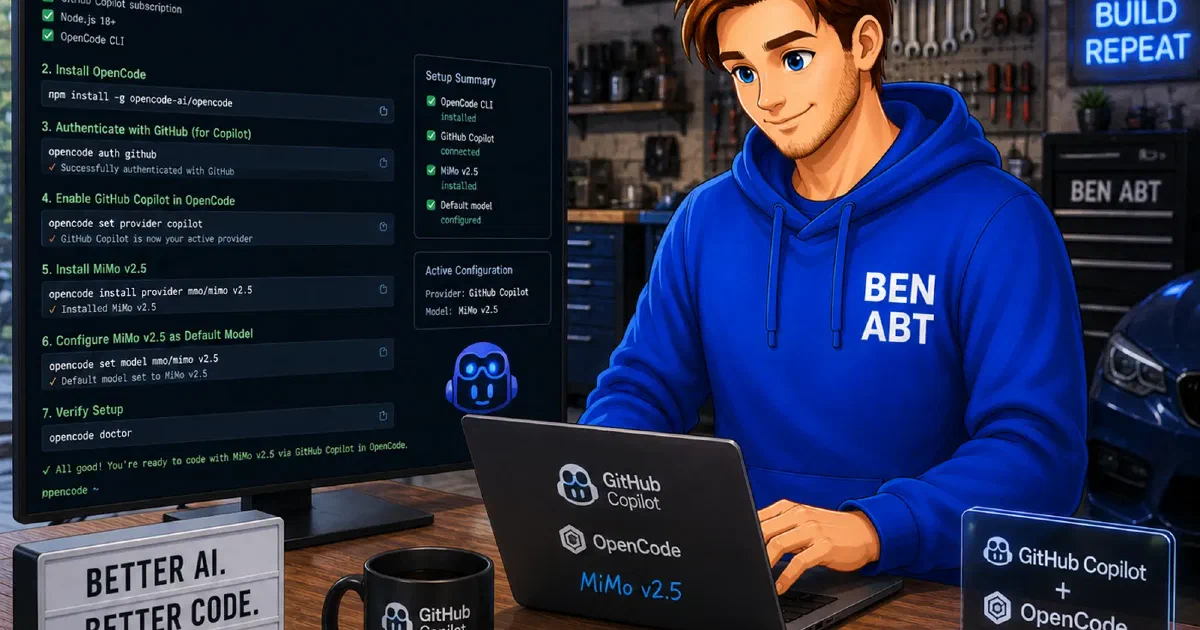
MiMo V2.5 is the latest reasoning and coding model from Xiaomi’s AI lab. Xiaomi positions MiMo as a general-purpose reasoning model with particular strength in code generation, structured output and tool calling. In May 2026 the model was made available through OpenCode Zen as part of a promotional offer, meaning it can be used at no cost during the promotion period.
For VS Code users working with GitHub Copilot, this creates a time-limited opportunity to evaluate BYOK integration with a reasoning-capable model that supports tool calling and vision - without incurring provider charges while the promotion lasts. The rest of this article walks through the setup.
BYOK in VS Code
GitHub Copilot’s bring-your-own-key support in VS Code allows connecting external model providers to the Copilot Chat interface. BYOK covers chat interactions, the built-in plan agent and custom agents. Inline code completions remain separate and continue to use Copilot’s built-in models regardless of BYOK configuration.
For OpenAI-compatible endpoints, VS Code’s Custom Endpoint provider (documented as Insiders-only as of May 2026) provides the integration mechanism. The setup for MiMo V2.5 through OpenCode Zen amounts to: VS Code Insiders with Copilot enabled, a Custom Endpoint pointing at the OpenCode Zen API and the model exposed in the VS Code model picker.
A detailed introduction to BYOK in VS Code, including the broader motivation behind model separation and cost control with cheaper alternatives such as Kimi K2.5 and DeepSeek V4, is covered in the previous article Using Kimi K2.5 and DeepSeek V4 in VS Code with GitHub Copilot BYOK and OpenCode .
OpenCode Zen
OpenCode exposes MiMo V2.5 through its Zen tier via an OpenAI-compatible API. The relevant endpoint is:
https://opencode.ai/zen/v1/chat/completionsThe model ID for MiMo V2.5 through this endpoint is:
mimo-v2.5-freeThe model is published with the following specifications:
| Property | Value |
|---|---|
| Model ID | mimo-v2.5-free |
| Endpoint | https://opencode.ai/zen/v1/chat/completions |
| Tool Calling | Yes |
| Vision | Yes |
| Max Input Tokens | 131,072 |
| Max Output Tokens | 8,192 |
The toolCalling capability is essential for VS Code’s agent workflows. Models without tool calling support may appear in simple chat scenarios but disappear from agent-related UI surfaces. The 131K input token window provides sufficient context for most repository-level conversations, while the 8K output limit means the model has to work within manageable output bounds for code generation tasks.
Prerequisites
This setup requires:
- A GitHub account with access to GitHub Copilot in VS Code.
- VS Code Insiders, because the Custom Endpoint provider is currently documented as Insiders-only.
- The GitHub Copilot extension enabled.
- An OpenCode account and API key.
- Permission to send repository context to the selected model provider.
For Copilot Business or Enterprise, the organization policy must allow BYOK in VS Code. GitHub documents this as the “Bring Your Own Language Model Key in VS Code” policy in Copilot settings.
Getting an OpenCode API key
The OpenCode documentation describes the authentication flow through the OpenCode terminal UI:
/connectAfter selecting OpenCode Zen as the provider, the flow opens opencode.ai/auth where billing details can be added and an API key created. An OpenCode account is required regardless of whether the model is currently available through the promotion. The API key is then pasted back into OpenCode.
Verifying available models works through:
/modelsThis step confirms that the OpenCode account and model access function correctly before moving to the VS Code configuration.
Adding OpenCode Zen as a VS Code model provider
The configuration starts from VS Code’s Chat model picker:
- Open the model picker in the Chat view.
- Select Manage Language Models.
- Select Add Models.
- Select Custom Endpoint.
- Enter a group name such as
OpenCode Zen. - Select the API type
Chat Completions. - Enter the OpenCode API key when prompted.
VS Code then opens chatLanguageModels.json. A minimal configuration for MiMo V2.5 looks like this:
 1[
 2  {
 3    "name": "OpenCode Zen",
 4    "vendor": "customendpoint",
 5    "apiType": "chat-completions",
 6    "apiKey": "YOUR_OPENCODE_API_KEY",
 7    "models": [
 8      {
 9        "id": "mimo-v2.5-free",
10        "name": "MiMo V2.5 Free",
11        "url": "https://opencode.ai/zen/v1/chat/completions",
12        "toolCalling": true,
13        "vision": true,
14        "maxInputTokens": 131072,
15        "maxOutputTokens": 8192
16      }
17    ]
18  }
19]
The configuration should live in VS Code’s user-level model configuration, not in workspace settings. The API key must not be committed to a repository. If VS Code offers secret storage during the provider setup, that path is preferable to plain text storage.
After saving the file, the model should appear in the chat model picker. If it does not appear immediately, a VS Code restart is usually enough. The Language Models editor also allows hiding less relevant models and pinning preferred ones at the top of the picker.
When MiMo V2.5 makes sense
MiMo V2.5 occupies an interesting position: a reasoning-capable model with tool calling support, available at zero cost during the current promotion. That makes it a natural fit for several scenarios while the offer lasts.
Open source development is the most straightforward case. Repository code is already public, so sending context to an external model introduces less additional risk. The current promotional pricing removes cost as a factor entirely, making it viable for community-driven work where the goal is to keep contribution friction low.
Experimentation and evaluation benefits from the current zero-cost promotion. A developer comparing MiMo V2.5 against other BYOK options such as Kimi K2.5 or DeepSeek models through OpenCode can make that comparison without billing implications. This is useful before committing to a model for more sensitive or production-adjacent work - and the promotional window provides a natural deadline for that evaluation.
Routine coding tasks such as explanations, small refactors, test suggestions and documentation cleanup are well within the model’s capabilities. The 8K output limit is rarely a constraint for these patterns and the 131K input window supports meaningful context attachment.
Utility model roles are another practical fit. VS Code’s chat.utilityModel and chat.utilitySmallModel settings control models used for background tasks such as summaries, title generation, commit messages, branch names and intent detection. The current promotional access makes MiMo V2.5 an obvious candidate for chat.utilitySmallModel where cost and latency matter more than maximum reasoning depth.
The trade-offs are real. MiMo V2.5’s output limit of 8,192 tokens constrains very large code generation tasks. For multi-file refactorings or complex architectural scaffolding, a model with higher output capacity may be necessary. The practical pattern is therefore not to treat MiMo V2.5 as a universal replacement, but as a no-cost evaluation option and a useful layer for the share of tasks where it is sufficient - at least for the duration of the promotion.
Combining MiMo V2.5 with other BYOK models
Nothing prevents combining MiMo V2.5 with other BYOK models in the same VS Code installation. The Language Models configuration can list multiple providers and models simultaneously. A practical tiered approach:
- MiMo V2.5 through OpenCode Zen (promotional pricing): default chat model for open source work, routine questions, utility tasks.
- Kimi K2.5 or DeepSeek V4 through OpenCode Go: stronger reasoning for architecture decisions, complex refactoring and heavier agent workloads.
- GitHub Copilot’s built-in models: code completions and scenarios where Copilot-specific integration matters.
The VS Code model picker allows switching between these on a per-conversation basis. The key architectural goal is matching model capability and cost to task complexity, not defaulting to the most expensive available option for every interaction.
Data and compliance considerations
The data handling implications are the most important factor in any BYOK setup. When VS Code Chat or an agent uses a remote model, prompts, selected code context, tool results and repository content are sent to that provider. GitHub documents this for Copilot CLI BYOK: remote endpoint configurations mean data travels over the network.
For MiMo V2.5 through OpenCode Zen, this means:
- The model is accessed through OpenCode Zen’s API, not directly from a Chinese infrastructure provider, but the data flow still reaches a remote service.
- Open source code is the cleanest fit, since the code is already public.
- Secrets, credentials, customer data and production logs must not appear in prompts.
- Corporate or regulatory constraints may prohibit external AI processing regardless of the model’s origin.
This point is worth emphasizing. Promotional pricing removes the cost barrier, but it does not remove the data boundary. The same governance that applies to any external model integration applies equally here. A thorough check of OpenCode’s current privacy terms, data retention policy and data processing location should precede any use with non-public code.
Troubleshooting
If MiMo V2.5 does not appear in VS Code’s model picker, the common causes are an incorrect API type, a typo in the model ID or a mismatch between the endpoint URL and the configured API style. For OpenCode Zen, the expected API type is chat-completions and the endpoint is the Chat Completions URL.
If chat works but agent tools fail, the model may not produce tool calls in the format expected by VS Code’s agent runtime. The toolCalling: true flag in the configuration is necessary but not always sufficient. Trying the same model through different prompts or checking the VS Code output panel for tool call parsing errors helps isolate the issue.
If all requests fail with authentication errors, the OpenCode API key should be verified in OpenCode itself with /connect and /models. That separates account and subscription issues from VS Code configuration problems.
If inline completions continue to use Copilot’s normal models despite BYOK configuration, that is expected behavior. BYOK targets chat and agent interactions, not code completions.
Conclusion
MiMo V2.5’s promotional availability through OpenCode Zen makes model separation in VS Code more accessible to evaluate. The current zero-cost window removes the financial threshold for experimentation: developers can test BYOK workflows, compare model quality for their specific tasks and establish tiered model patterns without incurring additional provider charges. The promotion provides a natural evaluation period, though the long-term cost picture will depend on OpenCode’s pricing once the promotion ends.
GitHub Copilot’s transition to AI Credits makes this kind of model differentiation more relevant over time. Chat-heavy and agent-heavy usage patterns will have clearer cost signatures, which in turn makes the case for routing routine work to cost-effective models and reserving premium models for genuinely difficult tasks.
For open source development and experimentation, MiMo V2.5 through OpenCode Zen is a practical starting point during the promotion. For proprietary code, the decision returns to the same question that applies to every external AI integration: whether the functional benefit justifies sending code context to an external processing endpoint. Promotional pricing lowers the cost barrier temporarily, but it does not change the data governance calculus.
The direction for VS Code’s BYOK ecosystem is clear. Models at different price points alongside premium frontier models, with developers choosing the right tier for each task. OpenCode Zen’s promotional MiMo V2.5 access is one piece of that picture - a useful entry point for developers who want to evaluate the pattern before committing to ongoing provider costs.
Related articles
- 10 min read
Using Kimi K2.5 and DeepSeek V4 in VS Code with GitHub Copilot BYOK and OpenCode
GitHub Copilot is moving into a different cost model. GitHub announced that Copilot plans will transition from premium request units to …
- 8 min read
Using OpenAI Models in VS Code with GitHub Copilot BYOK
GitHub Copilot’s pricing shift from flat premium request units to token-based GitHub AI Credits, scheduled for June 1, 2026, changes …

- 5 min read
Building Custom AI Tooling with the GitHub Copilot SDK for .NET
The landscape of AI development is shifting rapidly from simple chat interfaces to fully integrated, agentic workflows like the Ralph Loop . …

BEN ABT
Ben is Chief Engineering Officer and Principal Software Engineer at Medialesson.de, with a strong focus on .NET and Microsoft Azure. In his professional role, he designs and builds highly scalable platforms for hybrid and cloud-based scenarios. He also advises companies and C-levels on migrating to the sovereign cloud.
He runs myCSharp.de, the largest and most active German-speaking C# community forum, actively contributes to both his own and external open-source projects and regularly shares his knowledge through his blog, at community events, conferences and as a writer for technical magazines.
Let's Work Together
Looking for an experienced Platform Architect or Engineer for your next project? Whether it's cloud migration, platform modernization or building new solutions from scratch - I'm here to help you succeed.