
This article was written in 2022. Versions, tools and recommendations may have changed since then. Newer posts are collected under Blog.
Attention: the following configuration is recommended only for testing or very trusted applications, since username and password could be intercepted (since they are entered directly).
By default, Active Directory Applications (App Registrations) are configured so that username and password cannot be entered directly. Instead, a browser window from Microsoft opens with a corresponding login.
Applications thus only receive a token and never the credentials in plain text. This is an intentional behavior and positive for the security of user data.
Automated Logins
The interactive behavior is very positive for the operation of an application. Scenarios like automated logins can definitely be made more difficult this way.
In some scenarios, however, this can also be a hindrance, for example in end-to-end tests that require a login session: many systems only support the direct entry of login data and no interactive implementations.
Enable Public Client Flows
The so-called public client flows are all flows where a direct input of the password becomes necessary or possible.
This includes, for example, the Resource Owner Password Credential Flow or the Device Code Flow. Both flows have legitimate use cases, but they offer less security because the application receives and has to handle the credentials directly.
Microsoft writes about this in its documentation :
Microsoft recommends you do not use the ROPC flow. In most scenarios, more secure alternatives are available and recommended. This flow requires a very high degree of trust in the application and carries risks which are not present in other flows. You should only use this flow when other more secure flows can't be used.
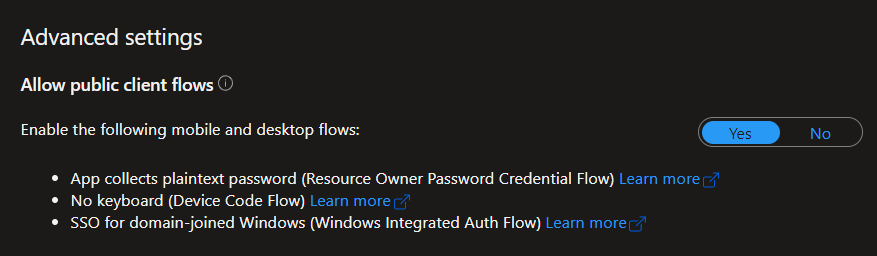
In the case of end to end testing, however, we deliberately want or need this flow, as we want to be able to log in automatically to test our token-based application in the context of a user. For enabling, the “Allow Public Client Flows” switch in the App Registration (Authentication tab at the bottom) must be set to Yes.
Login with Postman
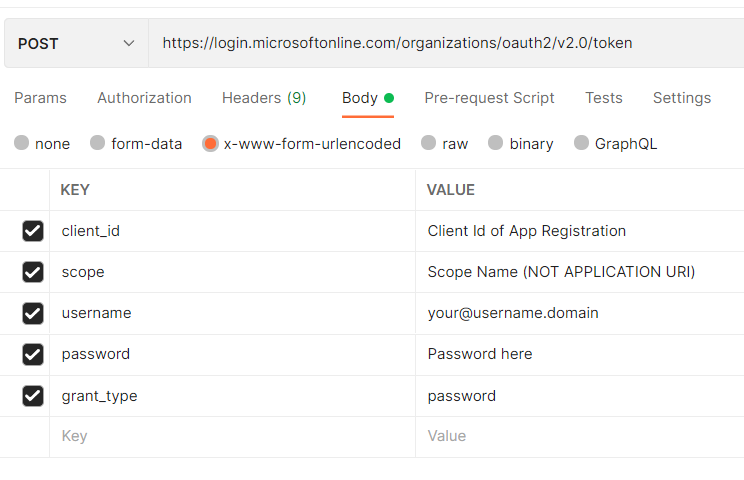
With Postman, we can now test whether our basically automated login via a tool works. To do this, we create a POST request with the following settings:
| Type | Val |
|---|---|
| HTTP Method | POST |
| URI for Tenant Apps | https://login.microsoftonline.com/{your tenant id goes here}/oauth2/v2.0/token |
| URI for Multi Tenant Apps | https://login.microsoftonline.com/organizations/oauth2/v2.0/token |
Body Params (x-www-form-urlencoded!!!)
| Type | Val |
|---|---|
| client_id | POST |
| scope | The scopes your have defined in your app registration (under expose an API). You can also use the default scope openid or openid profile email |
| username | your username |
| password | your password |
| grant_type | password |
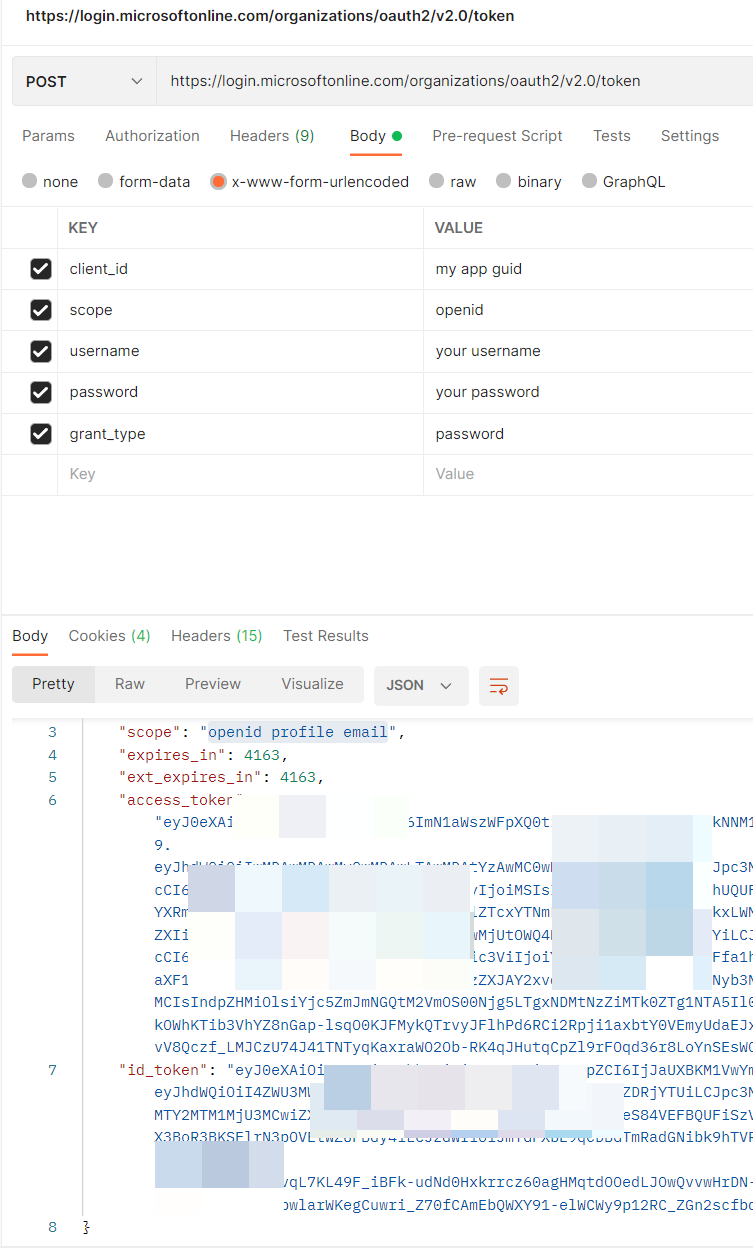
Now, you can run those request and you get the token in your response body. This means the configuration works and you can use this Azure App registration for your E2E tests.
But take care: please use this flow only for testing purposes or if you know this is really a very trusted app!

BEN ABT
Ben is Chief Engineering Officer and Principal Software Engineer at Medialesson.de, with a strong focus on .NET and Microsoft Azure. In his professional role, he designs and builds highly scalable platforms for hybrid and cloud-based scenarios. He also advises companies and C-levels on migrating to the sovereign cloud.
He runs myCSharp.de, the largest and most active German-speaking C# community forum, actively contributes to both his own and external open-source projects and regularly shares his knowledge through his blog, at community events, conferences and as a writer for technical magazines.
Let's Work Together
Looking for an experienced Platform Architect or Engineer for your next project? Whether it's cloud migration, platform modernization or building new solutions from scratch - I'm here to help you succeed.